更新履歴

3.2.0
連携Web Portal

TestSprite 3.2:GitHub・Slack・Jira・Linear 連携、SSO サインイン、ライブ実行マップ

連携

GitHub、Slack、Jira、Linear は「Workspace Settings → Connections → Integrations」でワークスペースごとに一度接続すれば、テストをどこから起動し、結果をどこへ送るかをプロジェクトごとに選べます。ツールの接続と切断ができるのは、ワークスペースの Owner と Admin だけです。

GitHub 連携を、すでにお使いの CI を軸に作り直しました。トリガーは、デプロイが公開されたことを示すパイプラインのシグナル(チェックの完了、ワークフロー実行の完了、デプロイボットのコメントなど)を待ち、そのプルリクエストのプレビュー URL、またはブランチのデプロイ先の環境をテストします。結果はプルリクエストへのコメントと TestSprite チェックとして返ります。「Send Test Event」で保存前に実際のプルリクエストでトリガーを試せ、「Block PR until tests pass」をオンにすると、スイートが通るまでマージを止められます。

Slack 通知を追加しました。手動、スケジュール、GitHub からの起動、CLI からの開始を問わず、完了したすべての実行のサマリーを、各プロジェクトが選んだチャンネル(パブリック・プライベートどちらも可)に投稿します。すべてのプランで利用できます。

Jira と Linear へのチケット起票を追加しました。失敗またはブロックされたテストからワンクリックでバグチケットを作成でき、実行内のすべての失敗を TestSprite に自動で起票させることもできます。各チケットには推定原因、エラー、実行へのリンクが含まれます。同じ失敗が二重に起票されることはなく、テストが再び通ると、TestSprite がそのチケットに回復のコメントを残します。チケット起票は対象プランでご利用いただけます。

サインイン

UI プロジェクト向けに SSO サインインを追加しました(ベータ)。Google でのサインインなどのシングルサインオンや、自動ログインをブロックするログインを使うアプリでは、TestSprite の中でライブブラウザが開きます。一度ご自身でサインインすれば TestSprite がそのセッションを保持し、機能探索とすべての実行がサインイン済みの状態から始まります。セッションが切れたら「Log in again」でブラウザを開き、新しいセッションを取得できます。

ライブ実行

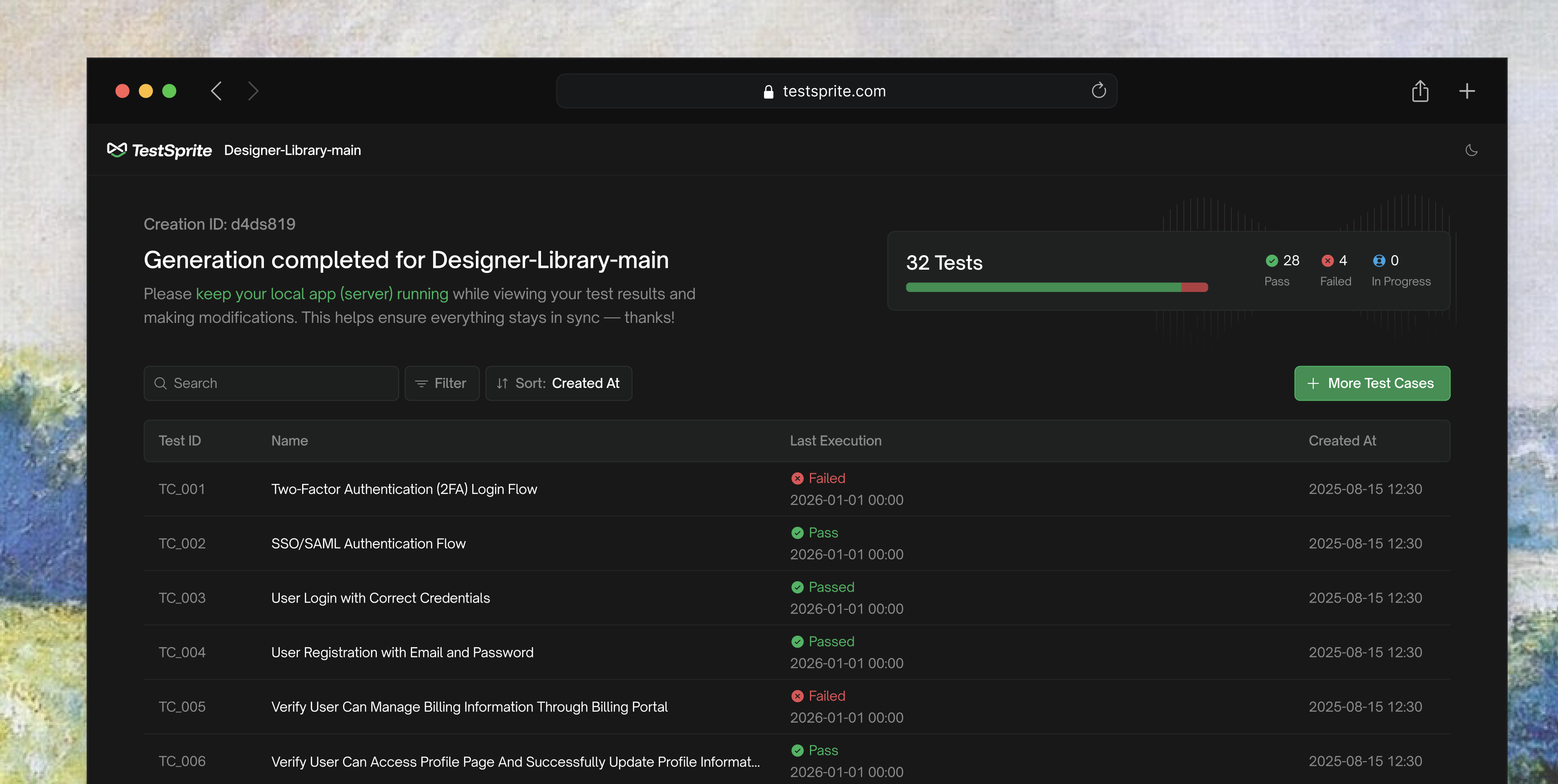
UI の実行が開く Agent Action View を刷新しました。テストの実行中は、各テストがページからページへ進む様子を、アプリ全体の 1 枚のマップの上に描きます。エージェントが到達したページは、そこで行った操作や不具合の箇所とともにマップに残ります。実行が終わると、レポートと List View がマップの上に表示されます。

Web Portal 全体のデザインも見直しました。
3.1.0
コラボレーションWeb Portal

TestSprite 3.1:チームワークスペース、AI Chat、環境、OTP サインイン

ワークスペース

チームワークスペースを追加しました。プロジェクト、テスト、実行、API キーは個人ではなくワークスペースに属するようになり、ワークスペースのメンバーは誰でもそのプロジェクトを開けます。どのアカウントにも個人ワークスペースは残り、チームワークスペースは有料プランで利用できます。

ワークスペースに 4 つのロールを追加しました。Owner はプランとワークスペース自体を管理し、Admin はメンバー、連携、クレジットを管理し、Member はテストを作成・編集・実行し、Viewer はすべてのプロジェクト、レポート、録画を閲覧できますが変更はできません。Viewer の席はすべてのプランで無料です。

「Workspace Settings → Members」からメールでチームメイトを招待できます。招待リンクをコピーしてご自身で送ることもできます。招待は招待先のメールアドレスに紐づき、7 日で期限が切れます。

すべてのプロジェクトに「Share」ボタンを追加しました。選んだロールでプロジェクトのワークスペースに招待し、そのプロジェクトへ直接開けるリンクを渡します。PM やマネージャー、クライアントも、無料の Viewer として結果を追えます。

API キーはワークスペースごとに発行するようになりました。ワークスペースキーはそのワークスペースの残高を使い、CLI と MCP Server のどちらから使っても、作成されたものはそのワークスペースに属します。キーの取り消しはすぐに反映され、メンバーを外すとそのメンバーが発行したキーも使えなくなります。

各プロジェクトの Activity Log には、誰がいつ何をしたかが記録されます。ユーザー、期間、イベントの種類で絞り込めば、誰がテストを変更したのか、合格率が下がる直前に何があったのかを確認できます。

AI Chat

Web Portal のコパイロット「AI Chat」を追加しました。ダッシュボードをクリックしてできることは、すべて一文で頼めます。たとえば URL と PRD からプロジェクトを作る、機能のテストケースを追加する、プロジェクトやテストリストを実行する、テストが失敗した理由を尋ねる、といった操作です。失敗の理由を答える前に、チャットは実行と、テストが実際にたどったステップを読み込みます。

読み取りはすぐに行われます。作成、編集、削除、実行など、プロジェクトを変更する操作は、まず何を行うかを正確に示すカードとして提案され(実行なら対象の環境まで表示されます)、承認するまで何も起こりません。カードを直したいときは変更内容を入力するだけで、チャットが新しい値で提案し直します。

環境

環境を追加しました。URL、テストがサインインに使う認証情報、独自のカスタム変数など、デプロイごとに異なる設定を環境ごとに持てるので、1 つのプロジェクトで dev、staging、production を並べて管理し、テストに手を加えずに同じスイートをそれぞれに対して実行できます。テストは変数をプレースホルダーとして参照し、各実行の直前に選択中の環境から値が解決されます。

サインイン

UI プロジェクト向けに OTP(ワンタイムパスワード)ログインを追加しました。登録時やログイン時にメールや SMS でコードを送るアプリでは、TestSprite が自分で管理するメールアドレスと電話番号でテストアカウントを登録し、アプリから届いたコードを受け取って入力します。探索もすべての実行も、コード入力のステップを自動で通過します。

3.0.0
Major releaseEngine update

TestSprite 3.0: Frontend fleet, backend rebuild, Feature Map & fixtures

Testing engine

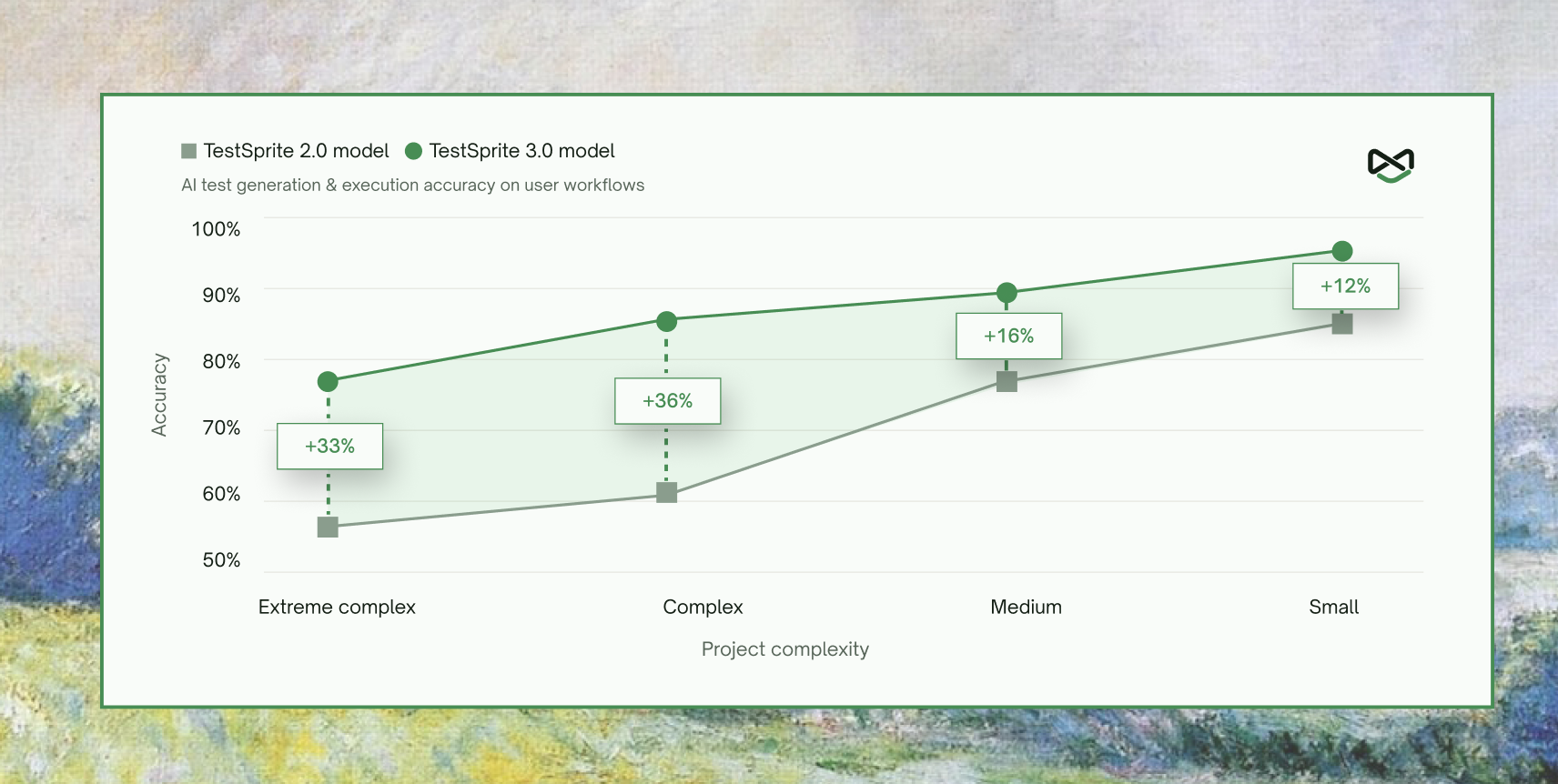
Significantly improved accuracy and reliability of generated tests across every level of project complexity. Accuracy jumped nearly 40% on the hardest projects, with consistent results across multiple runs of the same generation.

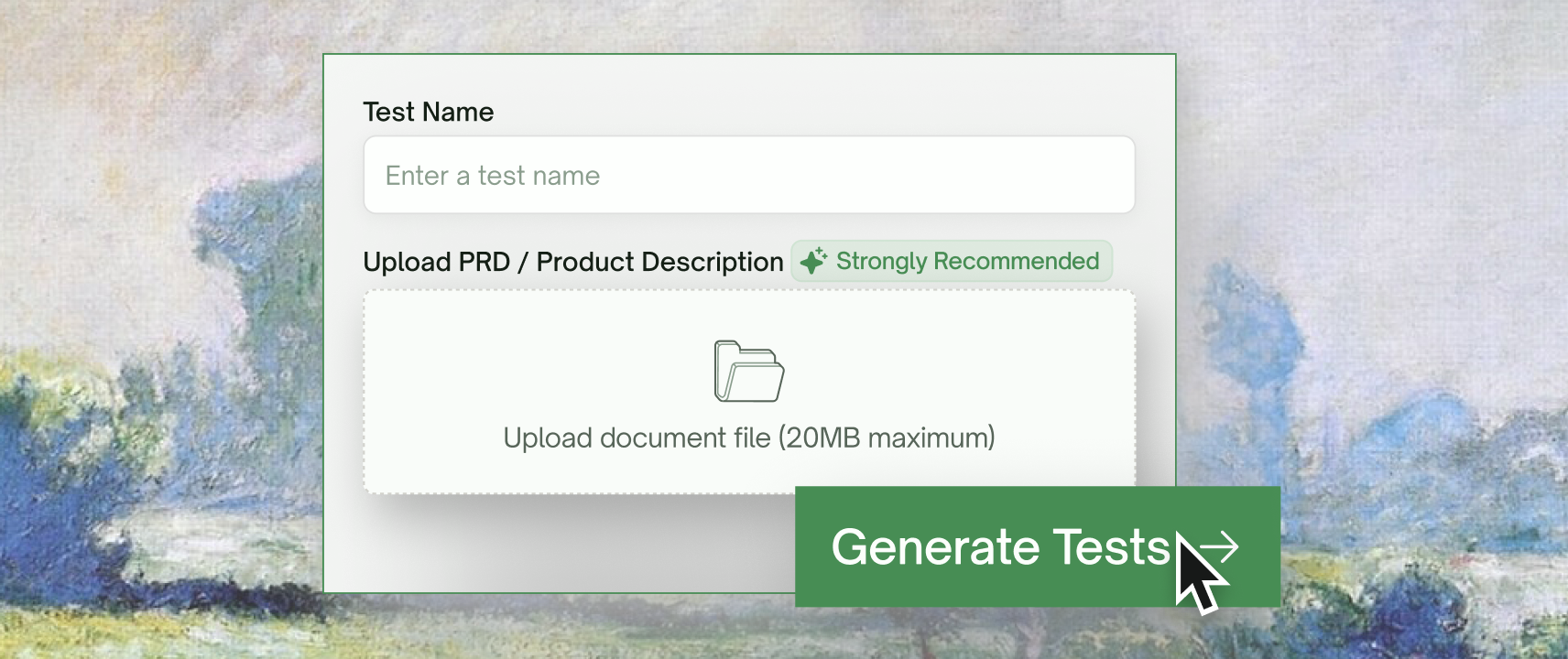
Launched the Editable Feature Map — upload your PRD or product spec, and TestSprite auto-extracts a full feature map of your app, covering every flow, dependency, and edge case. The map is fully editable and serves as the ground truth driving test generation downstream.

Launched File Uploads & Fixtures — upload your own files once at the project level (CSVs, JSON, PDFs, images) and TestSprite automatically wires them into both frontend and backend tests at runtime. Bring real data to your tests without scripting around it.

Frontend testing

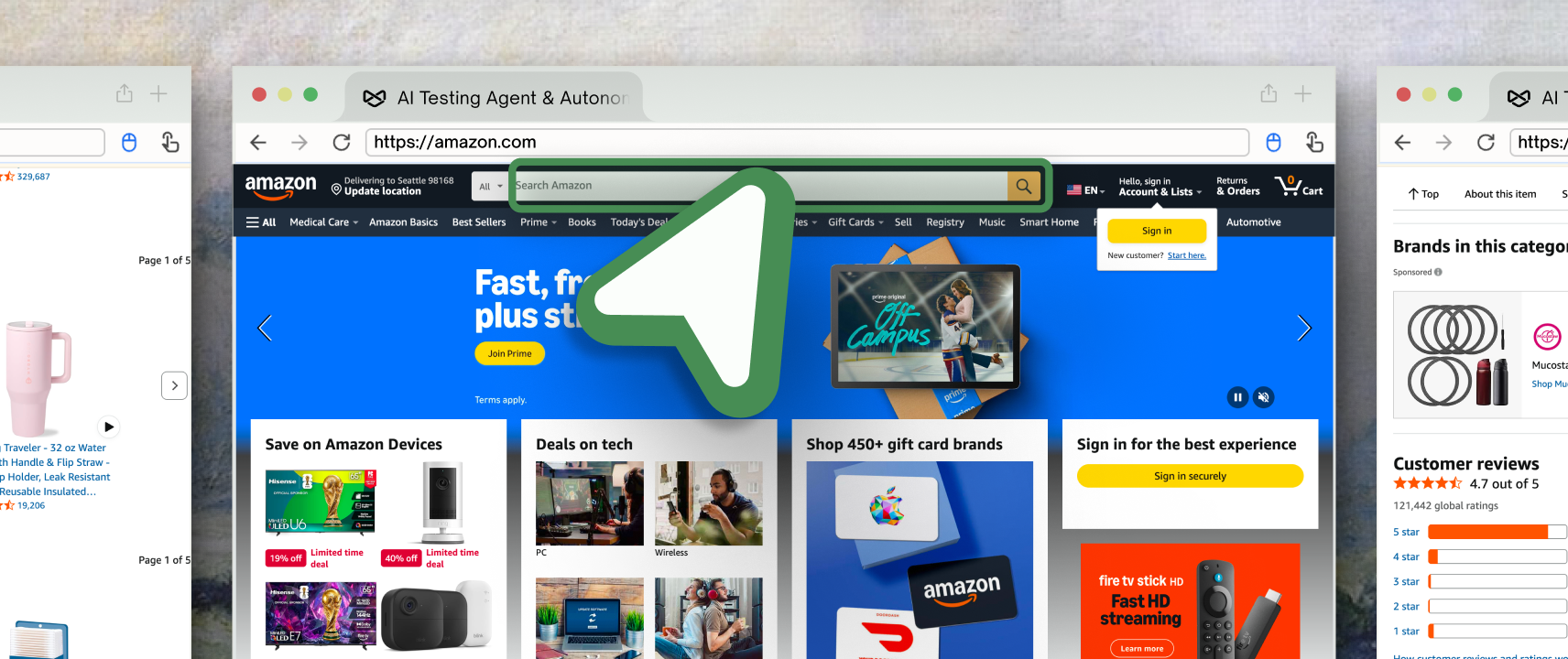
Launched the parallel exploration fleet — TestSprite now dispatches a fleet of AI agents into your live app to explore it concurrently, clicking through every flow like real users before a single test is written. Tests are generated from what the agents actually find, not from inferring intent from source code.

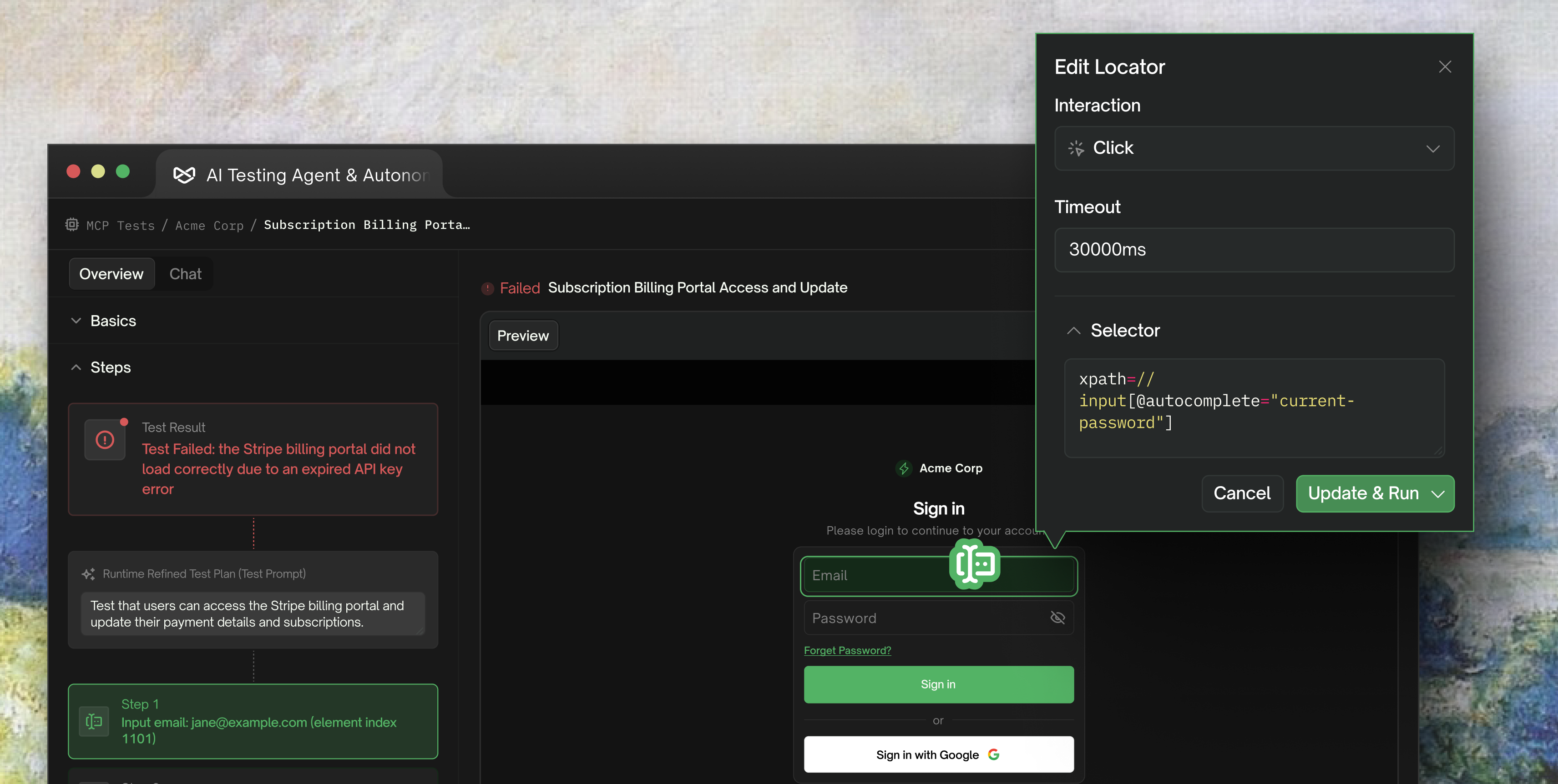
Tests now auto-heal when your UI drifts, keeping suites green through real product change.

Backend testing

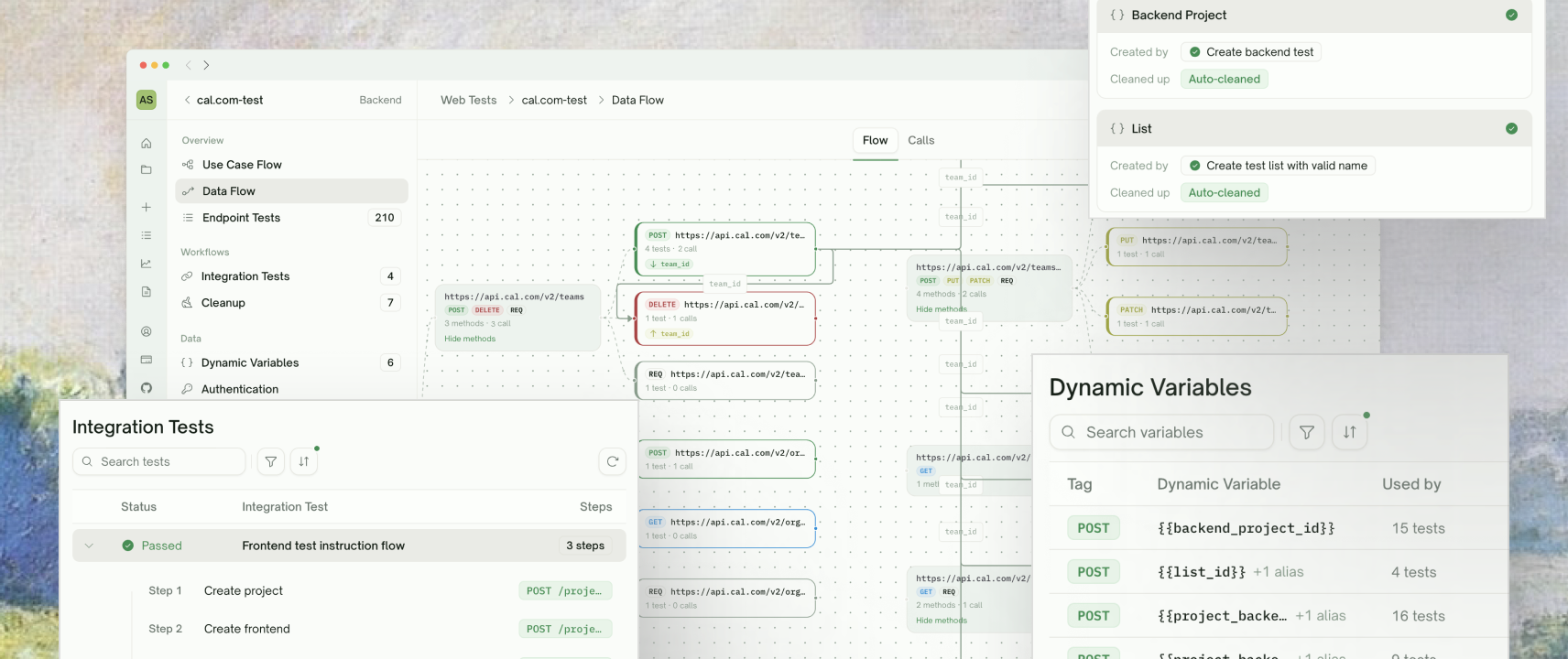
Rebuilt the backend testing engine from the ground up. Added support for multi-dependency integration tests across complex API chains. Introduced Dynamic Variables for cross-test resource reuse and Auto Cleanup that wipes test-created resources after every run. Added Auto-Auth and Smart Rerun for stable nightly regression.

Launched a new Data Flow view that traces every API invocation under different input scenarios — making debugging agent-generated tests feel like debugging your own code.

Web Portal

Updated the test creation flow to support PRD upload alongside URLs and API endpoints. Added a new Files & Fixtures section at the project level for uploading reusable test data. Redesigned the test result view to surface what broke and how to fix it. Added new visualizations for the Feature Map and Data Flow view.

Coming soon

A TestSprite CLI for developers using Claude Code, OpenAI Codex, and other AI coding agents is in active development — bringing TestSprite right into your terminal.

2.1.1

Light mode, billing portal & MCP stability

Web Portal

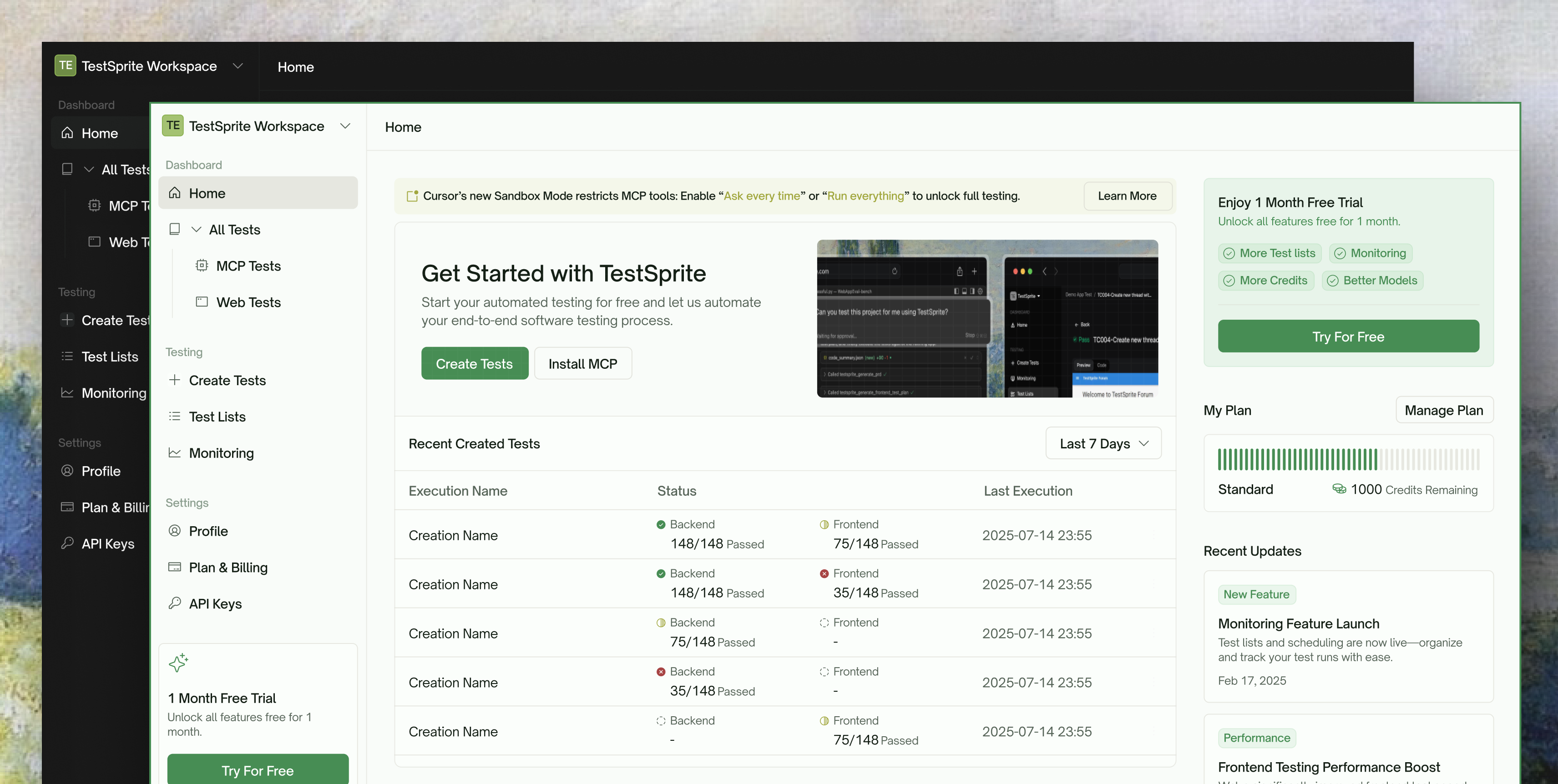
Launched full light mode with automatic color scheme detection. Refreshed icons, status indicators, and dropdown styles across the dashboard. Redesigned the dashboard homepage banner with new branding. Improved page layouts for better readability on large screens. Overhauled side navigation, header bars, overview cards, and data tables for visual consistency.

Redesigned the Create Test modal with a cleaner selection UI and streamlined routing. Updated banner titles and descriptions for MCP and Web Tests pages.

Integrated self-service billing portal for managing subscriptions, invoices, and payment methods.

MCP Plugin

Updated the MCP dashboard with new branding, fonts, and icons. Added a theme toggle dropdown with polished interaction states.

Improved connection stability and execution responsiveness. Streamlined the execution flow by consolidating tools. Added a tool for validating API key and account status.

2.1.0

GitHub integration & Test Modification Dashboard

Web Portal

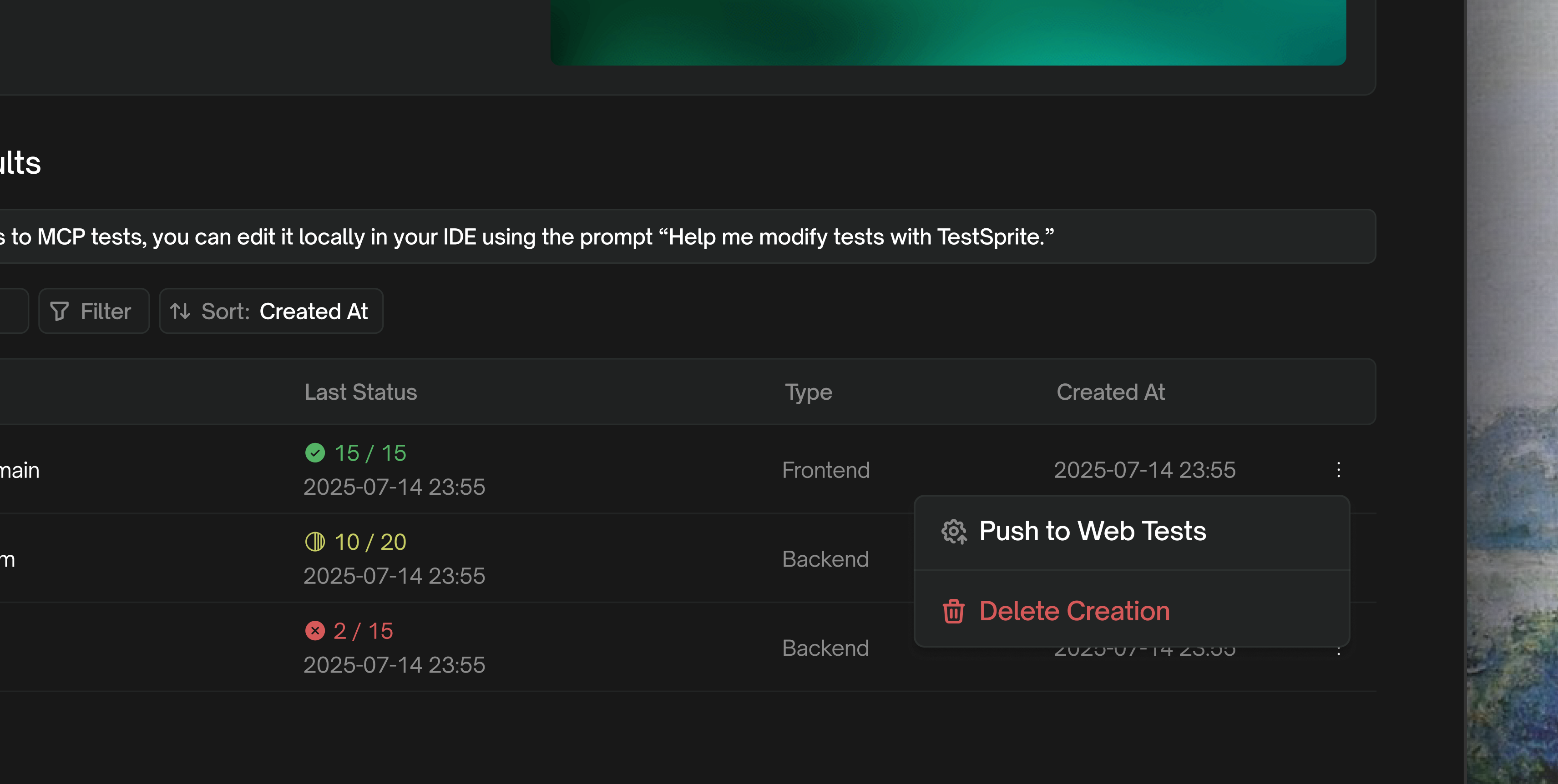
Launched the GitHub App settings page with repo configuration management. Added GitHub Action test overview and individual test result pages. Implemented repository config editing, disconnect flow, and unsaved changes warnings.

Added per-test delete with confirmation modal. Replaced the three-dot overflow menu with an explicit Edit button. Simplified delete UX with clearer messaging.

MCP Plugin

Launched the Test Modification Dashboard — edit test steps, re-run from any step, and view real-time results. Enabled editing of all steps, including previously failed steps. Added an Add More Cases prompt after execution completes. Test case status now persists across sessions.

Improved progress tracking during test execution. Upgraded the code summary engine for more structured and accurate analysis.

2.0.19

Local execution & MCP project deletion

Web Portal

Added the ability to delete MCP projects directly from the web portal dashboard.

MCP Plugin

Introduced a local execution page with a popup window for running test cases. Added real-time result updates in the execution view.

2.0.18

Linux support & dashboard refinements

Web Portal

Visual and design refinements across the dashboard, improving overall polish and consistency.

MCP Plugin

Added Linux platform support, expanding the MCP plugin to all major operating systems.

2.0.17

Yearly billing & new brand identity

Web Portal

Launched yearly billing as the default payment option. Refreshed the payment UI and updated pricing across the platform.

MCP Plugin

Updated to the new TestSprite logo across all surfaces of the MCP plugin.

2.0.13

Full dashboard overhaul & MCP Tests launch

Web Portal

Comprehensive UI overhaul across all dashboard pages — navigation, testing flows, monitoring, settings, billing, and auth. Updated site favicon and logo to new branding. Redesigned payment setup flow.

Launched the MCP Tests section in the web portal dashboard, giving users visibility into MCP-run tests alongside web tests.

MCP Plugin

Added a pathname parameter for targeting specific pages during testing, enabling more precise test scoping.

Introduced the rerun with prompt tool for targeted test re-execution, allowing users to modify and re-run specific test scenarios.

2.0.9

Test sharing, file support & re-run

Web Portal

Built MCP test sharing with shareable URLs and access control. Added frontend file support in the testing flow. Implemented file size validation for document uploads. Improved error handling across testing workflows.

MCP Plugin

Launched frontend test re-run for iterating on test results, allowing users to quickly refine and re-execute tests.

Introduced a redesigned test report with improved structure and readability.

2.0.7

Onboarding refresh & re-run tool

Web Portal

Refreshed the welcome modal and onboarding flow. Added MCP tests to the Recent Created Tests section. Added an empty state placeholder for MCP tests.

MCP Plugin

Added re-run tool for test re-execution, enabling users to quickly retry failed or modified tests.

Refined progress bar behavior and end-of-test messaging. Improved error messages for API key issues to help users resolve authentication problems faster.